Can Large Format Printing Handle Complex Designs? 10 Expert Tips
Complex designs require special preparation for large format output. Our experts share 10 tips to ensure your intricate artwork prints beautifully at scale.
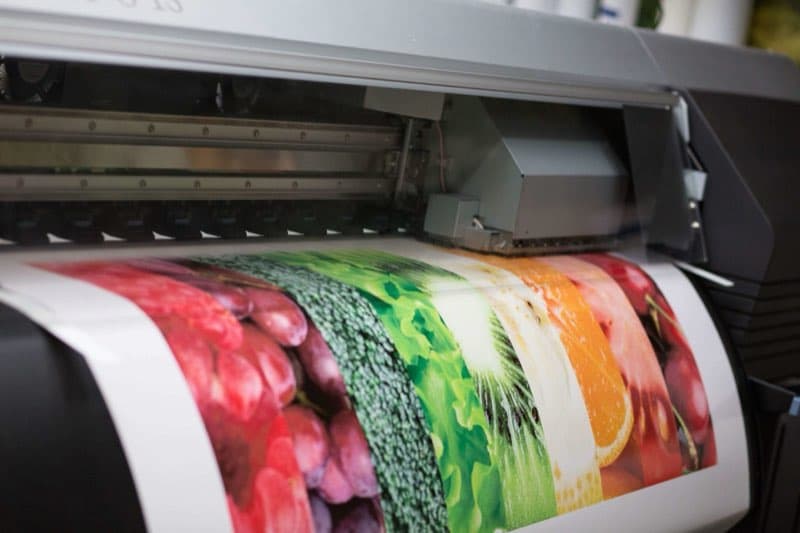
Complex Designs and Large Format Printing: What You Need to Know
Large format printing can absolutely handle complex, detailed designs — but success requires careful file preparation and an understanding of how design elements translate at large scale. At VSL Print, we've printed everything from intricately detailed architectural renderings to fine-art reproductions. Here are 10 expert tips to ensure your complex design prints beautifully at large format.
Tip 1: Understand the Viewing Distance Rule
The required image resolution for large format work depends on the viewing distance. A banner viewed from 10 feet does not need the same PPI as a brochure viewed at 12 inches. General guidelines: 100–150 PPI at final size is sufficient for most large format work viewed at normal distances. For very close-up inspection (retail displays, museum pieces), 200+ PPI is preferable.
Tip 2: Work in the Correct Color Space
Set your document to CMYK color mode from the beginning. RGB files will be converted during output and colors can shift unexpectedly, especially with complex gradient work or subtle color variations in photography. Ask VSL Print for our ICC color profile to soft-proof your work accurately.
Tip 3: Use Vector Graphics for All Text and Line Art
For any element that has hard edges — text, logos, geometric shapes, icons — use vector artwork (PDF, EPS, or AI files). Vectors scale infinitely without loss of quality and will remain crisp regardless of output size. Raster text or raster logos will appear pixelated at large format sizes.
Tip 4: Be Careful With Fine Details
Fine lines, small text, and intricate patterns can become problematic at large scale. A 0.25pt stroke that looks fine in a brochure may appear inconsistent when printed at 8 feet wide. Review your file at actual print size (or view it zoomed in at 100% in your PDF viewer) to assess how fine details will render.
Tip 5: Ensure Adequate Bleed on All Edges
For large format work that will be trimmed, add at least 0.5" of bleed on all edges — more generous than the 0.125" standard for standard printing, to account for variation in trimming large substrates. Background colors and edge-bleed elements should extend well past the trim line.
Tip 6: Flatten Transparency Before Submitting
Complex designs with multiple layers of transparency, drop shadows, and blend modes can cause unexpected output results at large format sizes. Flatten transparency in your PDF export settings, or save a flattened version of your file to avoid output issues.
Tip 7: Check Your Gradient Bands
Wide, subtle gradients can show banding (visible steps in the gradient) when printed at large sizes. To minimize banding, use gradients that span a meaningful tonal range, add a very subtle noise/grain layer over the gradient, and work in 8-bit (or higher) color depth.
Tip 8: Account for Color Shift on Different Substrates
Colors can appear differently on vinyl, fabric, backlit film, and matte board compared to a coated paper proof. If exact color matching is critical — particularly for brand colors — request a printed substrate proof on the actual material before approving the full run.
Tip 9: Submit Files at 1:1 Scale When Possible
Submitting your file at full scale is ideal. If the final output size is very large (e.g., a 20-foot banner), many software applications allow you to work at 10% or 25% scale — just make sure image resolution is scaled accordingly (e.g., if you work at 10% scale, your images should be at least 300 PPI at that reduced size, which equals 30 PPI at full scale — confirm with your printer what the appropriate target resolution is).
Tip 10: Request a Proof Before Full Production
For complex, high-stakes large format work, always request a printed proof before approving full production. A reduced-scale proof allows you to verify colors, fine details, and overall composition before committing to the final output. At VSL Print, we offer proofing services for exactly this reason.
Bonus: Plan for Seams and Panel Joins
Very large graphics — building wraps, long fence lines, oversized backdrops — often exceed the maximum print width of a single roll, which means the finished piece is assembled from multiple panels. A complex design should account for this from the start. Avoid placing critical elements such as faces, logos, or fine text directly on a seam line, and design with overlap allowances where panels join. Discussing panel layout with your printer before finalizing artwork lets you position seams in visually forgiving areas — along architectural lines or low-detail background regions — so the assembled graphic reads as one continuous image. Some of the most demanding files we see arrive as vehicle wraps, where complex artwork must also follow curves, rivets, and door seams.
Bonus: Consider How the Substrate Reads in Context
A complex design can look entirely different depending on the material and lighting it ends up in. Backlit film glows from behind, intensifying color and washing out the subtlest shadow detail. Mesh banner material has tiny perforations for wind pass-through, which slightly reduces apparent resolution and color density. Fabric has a soft surface that diffuses fine detail more than rigid board. For intricate artwork, knowing the final substrate up front lets you adjust contrast, detail, and color so the design performs in its actual setting rather than only on a coated-paper proof. Two-sided pieces raise similar material questions — we take those up separately in our post on double-sided large format printing.
Bonus: Proof at Reduced Scale Before Committing
For a genuinely complex large format piece, a full-size proof is often impractical, but a reduced-scale proof or a cropped detail at full size gives you the best of both. A scaled proof confirms overall composition, color relationships, and how the design reads as a whole, while a full-size detail crop of the most demanding area — fine text, a gradient, a critical brand color — verifies that those elements hold up at the real output resolution. Reviewing both together lets you sign off with confidence before committing expensive wide-format material to the full run.
Putting the Tips Together: A Pre-Submission Checklist
- Resolution appropriate to viewing distance (commonly 100–150 PPI at final size)
- Document built in CMYK with the printer's profile applied
- Text and logos supplied as vector, not raster
- Generous bleed (0.5" or more for trimmed large format)
- Transparency flattened and gradients checked for banding
- Substrate confirmed and a proof requested for brand-critical color
Frequently Asked Questions
Why does my detailed design look soft on the proof? Often it is resolution at final size, or fine elements built as raster rather than vector. Rebuilding text and line art as vector usually sharpens it instantly.
Can you print metallic or neon colors? Large format approximates many special colors within its wide gamut, but true metallics and fluorescents are limited compared with offset spot inks. Ask for a material proof if these are critical.
How do I avoid visible banding in a big sky gradient? Span a meaningful tonal range, work in higher bit depth, and add a faint noise layer over the gradient to break up the steps.
The reassuring conclusion is that large format printing handles genuinely complex work beautifully when the file is built with the medium in mind. Resolution matched to viewing distance, vector text and line art, generous bleed, flattened transparency, considered seams, and a proof on the actual substrate are the habits that turn an intricate design into a flawless finished graphic. Get those right, and there is very little that large format cannot reproduce convincingly at scale.
Bring Your Complex Designs to VSL Print
Our large format prepress and production team in Midtown Manhattan has the expertise to handle your most demanding designs. Submit your files or contact us to discuss your project — we'll make sure your complex artwork translates perfectly at large scale.
Looking for professional large format printing?
View Large Format PrintingReady to start your print project?
Get a free quote from a NYC commercial printer. Rush turnaround available.