What Is 4-Color Process in Large Format Printing? Explained
Learn how CMYK 4-color process printing works in large format applications and why it matters for banners, signs, and displays.
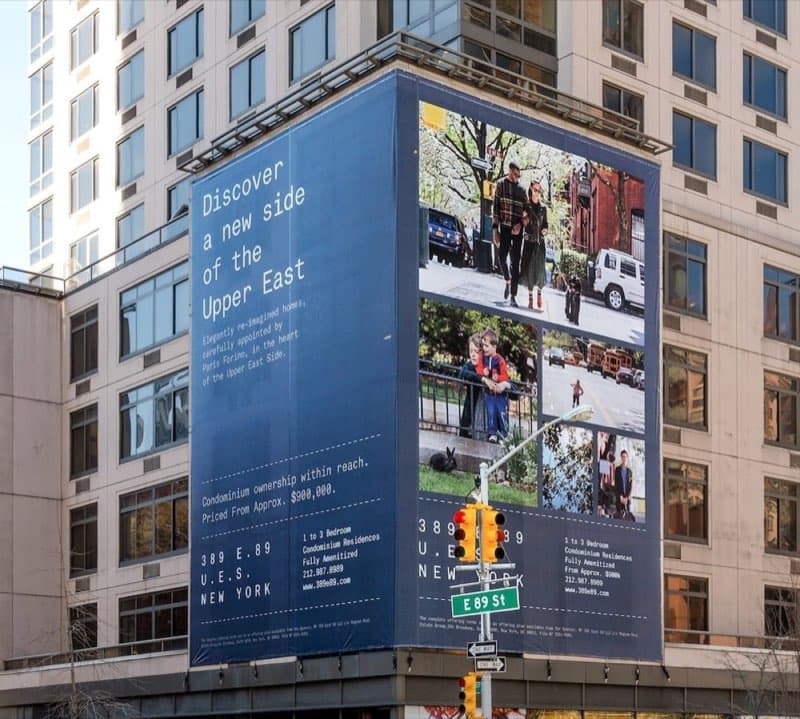
Understanding 4-Color Process Printing
Four-color process printing — also called CMYK printing — is the standard method for reproducing full-color images in large format printing. It uses four ink colors: Cyan (C), Magenta (M), Yellow (Y), and Black (K). By layering tiny dots of these four inks in varying densities, a printer can reproduce millions of colors from photographs, gradients, and complex artwork. Broadway marketers put that full gamut to work when commissioning printing for theater productions, from lobby posters to marquee-scale banners.
How CMYK Works in Large Format
Large format printers use either inkjet or UV-curable ink technology to apply CMYK inks onto substrates like vinyl, fabric, foam board, and corrugated plastic. Unlike offset printing where dots are transferred via plates, large format printers spray microscopic droplets directly onto the material.
Modern large format printers often add additional ink channels beyond CMYK — light cyan, light magenta, orange, green, and white — to expand the color gamut and improve accuracy. But the foundation is always 4-color process.
Key Differences from Spot Color
- Process color (CMYK): Creates colors by mixing four inks. Best for photographs, gradients, and complex multi-color designs.
- Spot color (Pantone): Uses pre-mixed inks for exact color matching. Common in offset printing but rarely used in large format.
Most large format work uses process color because inkjet technology handles CMYK natively. If you need exact Pantone matching for brand-critical colors, your printer can calibrate profiles to get very close — typically within Delta E 2-3.
When 4-Color Process Is the Right Choice
- Banners and signs with photographic imagery
- Trade show displays with gradients and complex graphics
- Window graphics and wall murals
- Vehicle wraps with full-color designs
- Retail POP displays with product photography
File Preparation Tips for CMYK Large Format
To get the best results from 4-color process printing on large format:
- Design in CMYK color mode from the start — converting from RGB shifts colors
- Use 150 DPI at final output size (not 300 DPI like offset — large format is viewed from further away)
- Avoid thin lines in light colors — they may break up at large scale
- Request a color proof or test print for brand-critical projects
- Provide ICC profiles if you have specific color requirements
The Role of Black (K) in Four-Color Printing
It is reasonable to ask why a process built on cyan, magenta, and yellow needs a fourth ink at all — in theory, those three subtractive primaries combine to make every color, including black. In practice they cannot. Mixing full CMY produces a muddy dark brown rather than a true black, wastes ink by piling three layers where one would do, and makes crisp black text impossible to register cleanly. The black (K, for "key") plate solves all three problems: it delivers genuine deep blacks, sharpens text and fine detail, and adds shadow depth efficiently. In large format this matters for the contrast and punch of photographic imagery and for clean, legible signage text at a distance.
Total Ink Coverage on Large Format Substrates
Just as in offset, every area of a large format file has a total ink coverage value — the sum of its C, M, Y, and K percentages — and pushing it too high causes trouble. On vinyl, fabric, and film, excessive ink can pool, dry slowly, bleed at edges, or cause the media to cockle. Each printer-and-substrate combination has a practical coverage ceiling that its profile is built to respect, which is one more reason designing in CMYK with the right profile beats converting from a heavily saturated RGB file at the last minute. If your design leans on very dark, dense areas, easing the supporting colors under the black keeps shadows clean and avoids drying problems on the press.
How Halftones and Droplets Build the Image
Four-color process works because the eye blends small marks of ink into continuous tone at normal viewing distance. In offset, those marks are halftone dots arranged on a screen; in large format inkjet, they are microscopic droplets placed in fine, often randomized (stochastic) patterns. Either way, varying the amount of each ink in a given area produces the full range of color. The droplet size on modern large format printers — sometimes only a few picoliters — determines how smooth gradients look and how much fine detail survives. Larger droplets cover ground quickly for distance-viewed banners, while smaller droplets render the crisp detail wanted on close-viewed retail displays.
Why Expanded-Gamut Inks Matter
Plain CMYK can reproduce a great deal, but some colors — bright oranges, clean greens, vivid violets — sit outside the gamut four inks can comfortably reach. This is why many large format printers add channels such as light cyan, light magenta, orange, and green. Light inks smooth out skin tones and pale gradients that would otherwise show graininess, while orange and green extend the printer into hues CMYK struggles with. The result is more accurate brand color and richer photographic reproduction, all still built on the four-color foundation.
Process Color vs. Spot Color in Practice
Because inkjet builds color from process inks natively, nearly all large format work uses CMYK rather than pre-mixed spot inks. For brand-critical colors, a well-calibrated printer profiles the device and substrate to hit Pantone targets closely — frequently within a small Delta E. When an exact match is essential, the right move is to request a printed proof on the actual material, since the same color can read differently on glossy vinyl, matte board, and translucent backlit film. For the other half of that comparison, our full breakdown of spot color in large format explores when pre-mixed inks still matter.
Frequently Asked Questions
Why is large format prepared at 150 DPI, not 300? Because it is viewed from farther away. At normal viewing distances 150 DPI at final size looks sharp, and it keeps enormous files manageable.
Can CMYK match my exact brand blue? Often very closely, with profiling. For a guaranteed match, supply the Pantone reference and approve a material proof.
Will the same file print identically on vinyl and fabric? Colors can shift between substrates because each absorbs ink differently. Profiles compensate, and a proof confirms the result on your chosen material.
Do I need white ink for my design? Only when printing on clear, dark, or metallic substrates where you want opaque areas or bright whites to stand out. On standard white media, the substrate provides the white and no white ink is required.
Why does my photo look slightly different printed than on screen? Screens emit light across a wider gamut than ink reflects, so some shift is normal. Designing in CMYK with the correct profile, and reviewing a material proof, brings the printed result reliably close to your intent.
For all its technical underpinnings, four-color process in large format comes down to a practical idea: four well-managed inks, often supplemented by a few extra channels, can reproduce photographs, gradients, and full-color graphics convincingly on almost any substrate. Designing in CMYK with the right profile, respecting total ink limits, and confirming brand colors with a material proof are the habits that get the most from the process. Do that, and your banners, displays, and wraps will read with the vivid, consistent color the application demands.
Large Format 4-Color Process at VSL Print
At VSL Print in Manhattan, our large format department runs modern inkjet printers calibrated for accurate CMYK reproduction on every substrate we carry — vinyl, fabric, rigid board, and more. Whether you need a 3-foot banner or a 30-foot building wrap, our 4-color process delivers vibrant, consistent results. Contact us at 646-843-0800 for your next large format project.
Looking for professional large format printing?
View Large Format PrintingReady to start your print project?
Get a free quote from a NYC commercial printer. Rush turnaround available.